
Unknown to many people, there is actually an option to change your Singpass ID. By default, your NRIC is your Singpass ID. But you can change it via the Singpass Portal.
Alternatively, you can also change it via your Singpass app. Click on the settings button on the top right hand corner. Select “Update Account Details”. You will be redirected to an external browser where you have the option to change Singpass ID.
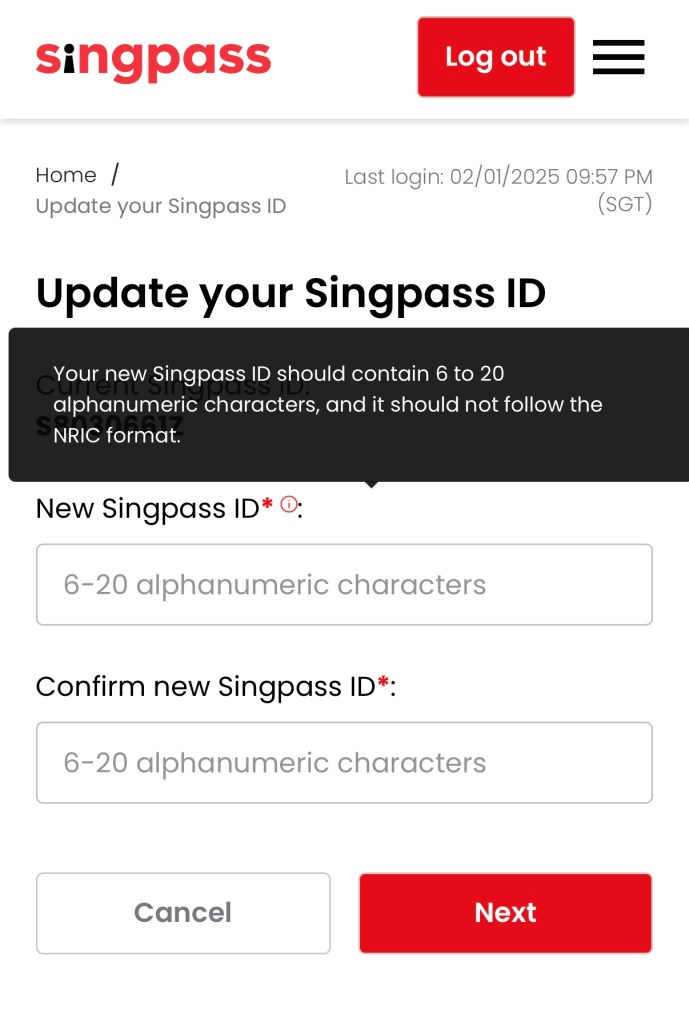
Do note that the Singpass ID should contain 6 to 20 alphanumeric characters and it should not follow the NRIC format.
I’m surprised when I saw the news from parliament regarding this. Not many people know that you can change your Singpass ID. It was not widely publicised. And this is not a new feature. In fact, I found an article from 2018 saying that most people did not change their Singpass ID.
Personally, I don’t see the need to change my Singpass ID. Even if someone knows my NRIC number, they still need my password and handphone for the OTP. But it is good that we have the option to change it if required.

 DeeKay Dot SG